
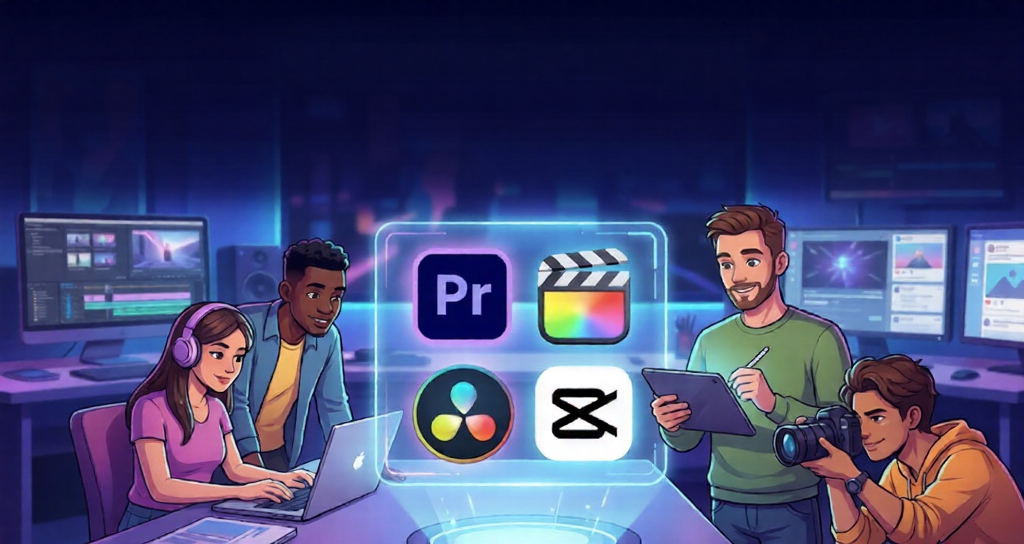
Top Free Video Editing Apps
Creators in 2025 prioritize free apps that deliver pro-level features without watermarks or limits. CapCut leads with its intuitive drag-and-drop interface, AI auto-captions, and 8K export support up to 60fps, ideal for TikTok and Instagram Reels. DaVinci Resolve offers unmatched color grading, VFX via Fusion, and Fairlight audio tools in its free version, handling 4K projects seamlessly on Windows, Mac, and Linux. Clipchamp shines as a web-based option with multi-track editing, templates, and direct exports to YouTube or LinkedIn at 1080p.
These apps suit beginners to intermediates by minimizing learning curves while scaling for complex edits. iMovie remains Mac-exclusive but excels in simple timelines and HDR output for Apple users.
Best Paid Video Editing Apps
Paid options unlock advanced workflows for serious creators. Adobe Premiere Pro dominates professionals with text-based editing, AI transcription, and seamless integration with After Effects, priced at $22.99/month. CyberLink PowerDirector 365 provides AI object removal, motion tracking, and 9 million stock assets for $4.58/month premium, blending ease with Hollywood effects. Final Cut Pro, a one-time $299.99 buy for Mac, offers magnetic timelines and third-party plugins for fast 8K editing.
Apple Final Cut Pro and DaVinci Resolve Studio ($295 one-time) emphasize lifetime value over subscriptions. PowerDirector edges out for budget-conscious pros needing mobile-desktop sync.
👉 Check the full list of recommended video editing tools here

Mobile Apps for On-the-Go Editing
Mobile editing exploded in 2025, powering 70% of social content. VN Video Editor tops Android free picks with no-watermark exports, keyframing, and chroma key. LumaFusion, a $29.99 one-time iOS/Android buy, supports multitrack 4K, speed ramping, and Creator Pass for stock media. CapCut’s mobile version mirrors desktop prowess with AI effects and templates, free core features, Pro at low cost.
InShot and KineMaster add music libraries and text overlays but trail in advanced VFX. Cross-platform sync in Premiere Rush ($9.99/month) aids vloggers shifting to desktop.
Comparison: Free vs. Paid Features
Free apps like CapCut and DaVinci Resolve cover 80% of creator needs with unlimited tracks and effects, but paid unlocks AI noise reduction and 8K+ support. Paid tools excel in collaboration—Premiere Pro’s cloud teams beat CapCut’s solo focus. Performance-wise, PowerDirector renders fastest on mid-range hardware.
Choose free for quick social clips; invest in paid for client work or YouTube long-form.
Emerging Trends and Tips for 2025
AI drives 2025 editing: auto-edits in PowerDirector and text-to-video in CapCut slash production time by 50%. Vertical video optimization and AR overlays trend for TikTok/YouTube Shorts. Hybrid mobile-desktop flows, like LumaFusion to Resolve, boost efficiency.
Tips for creators:
- Start with CapCut for shorts, scale to Resolve for polish.
- Use keyboard shortcuts in Premiere for 2x speed.
- Batch-export templates in Clipchamp for consistency.
- Test hardware: Resolve needs strong GPU.
- Integrate stock from Epidemic Sound for pro audio.
Prioritize apps matching your niche—social favors CapCut, film leans Resolve—to maximize output without burnout.
Choosing the Right App for You
Beginners grab CapCut or Clipchamp for zero-frills entry. YouTubers upgrade to PowerDirector or Premiere Pro for scalability. Filmmakers commit to Resolve Studio’s ecosystem. Factor device: Android loves VN, iOS thrives on LumaFusion.
Budget under $5/month? PowerDirector wins value. One-time fans pick Final Cut or LumaFusion. Trial all free versions first—most match 2025 workflows perfectly.
Conclusion:
Choosing the right video editing app in 2025 depends on your goals, device, and budget. Free tools like CapCut and DaVinci Resolve now offer pro-level capabilities for most creators, while paid options such as Premiere Pro, PowerDirector, and Final Cut Pro unlock advanced workflows, faster exports, and deeper creative control. Start with a simple editor, upgrade as your projects grow, and pick tools that match your niche—social media, YouTube, or filmmaking—to achieve consistent, high-quality results without burnout.
Leave a Reply